
Assessment (Mobile Technology & Programming)
Assessments
Lab Assignment : 30%
Group Project : 30%
Final test : 40%
Total: 100%
Passing grade : C ( 50 % )
Final Test : 40% (05/1/2027)
Date: 05/1/2027 (Wednesday)
Time: 10.15 – 11.15 am
Duration: 2 Hours (excluding submission time 10 minutes)
Chapter 1-7
Type:
Part A – Objective- (20 questions) – 20 marks (Close book)
Part B – Subjectives (2 short questions) – 30 marks (Open book for Part B (Question 2 only)
Just type your answer in the paper and attach it as .pdf file in UFuture.
Hint: Code the xml and java file.
GOOD LUCK 🙂
Lab assignment: 30% (5/12/2026)
This lab assignment is an individual assignment. Students can discuss and refer to any related resources as long as they manage to design and develop the mobile app by themselves. In this lab assignment, students are required to use Android Studio IDE.
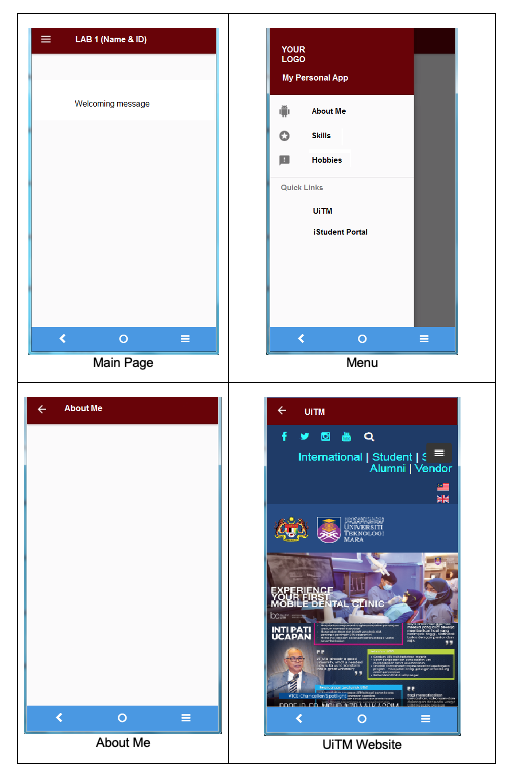
This lab assignment is about personal app. It is meant that students can share information about themselves such as:
- About me (One page only)
- Skills (One page only)
- Hobbies (One page only)
Note: Please use your own creativity to develop the above pages.
It also has quick links to UiTM Website and iStudent Portal.
App icon and splash screen should be included.
There are several elements to take into the consideration in developing the mobile app.
- Navigate Drawer
- TextView
- Button/ImageButton
- ListView
- WebView
- Imageview
Students have two weeks to finish this lab assignment. For the time being, I will evaluate it using your mobile phones. In case if you don’t have any android device, I will evaluate it through the emulator.
Please see the appendix for the example of the mobile app pages.
Appendix: The example of the mobile application pages are shown as below:
What to submit:
- Project files
- Video of the app
Put both of the files in the google drive and share the link in the UFuture (I will create the assignment in UFuture later).
The evaluation rubric
| Criteria | CONTENTS (3 PAGES) (1-5) | ELEMENTS (5 FEATURES) (1-5) | CORRECTNESS (1-5) | INTERFACE (1-5) | COMPLETION (1-5) |
| Description | 3 pages existed in the application | All 5 features are used in the application | The application is correctly developed without error | The view of the interface | The completion of the application |
Group project:
10%(proposal) – 17/12/2026
20%(Mobile App) – 31/1/2026
Group project requirement
This group project is especially designed as a platform for students to improve their soft skills such as logical thinking, critical thinking, problem solving, programming and esprit de corps. The ideal group size is 4 – 5 members. It is recommended that the group size is as small as possible. By doing this, perhaps each student will give full commitment to the project. This is to make sure that there is no sleeping partners in the group. A project leader is appointed and responsible to the success of the group.
The time duration of the group project is seven weeks starting from assigning the project title until the project presentation.
Each group is required to provide with the followings:
- Proposal/report document (softcopy)
- Project file mobile application (softcopy)
Report
Format:
- In Power Point
- Font type: Times New Roman / Arial
- No. of slides: 10 – 15 slides
- Cover page – course, group, project title, prepared by and prepared for
Content
- Title
- Problem statement
- Objectives – 2 to 3 objectives
- Scopes
- Members’ particular details – ID and name & Job assignment
- User interface design
- Database design – ERD
- Methods/techniques applied
Application
Please ensure that the mobile application adheres to the following conditions:
- The mobile app has login & logout functions. Only the registered users can access the mobile app based on their authorizations.
- The database is either SQLite or MySQL. For those who use MySQL database will be rewarded extra marks.
- The CRUD functions for at least one table.
- Produce a simple report from the database.
Implementation
- Students must use Android Studio IDE to develop the mobile application.
- Students may have a local host to locate the MySQL database server, in case they are using the MySQL database.
- The mobile application is run on pc/laptop and viewed by using the android emulator/android device because the lecturer need to see the source code in order to evaluate the students’ understanding on the subject matter.
The evaluation rubric
- Report
| 5 – 4 marks | 3 – 2 marks | 1 – 0 mark | |
| 1. Organization | The contents are organized and explained very well | The contents are less organized and explained | The contents are notorganized and explained at all |
| 2. Contribution | All requirements and objectives are identified, evaluated and completed | All requirements are identified and evaluated but some objectives arenot completed | Many requirements and objectives are not identified, evaluatedand/or completed |
- Mobile App
| 5 – 4 marks | 3 – 2 marks | 1 – 0 mark | |
| 1. UserInterface | Interface is neat and well organized | Interface is reasonably neat | Interface is untidy and not organized |
| 2. Run without error | Runs smoothly and without errors | Runs but with some errors | Still contain error or warning |
| 3. Correctness | Application is according to theoriginal proposal and givescorrect output | Application follows the original partially or givessome incorrect output | Application is completely incorrect |
| 4. Database | CRUD functions for at least one table without errors | CRUD functions for at least one table with some errors | No database used at all |
The full marks are 30 marks in which 10 marks for the report and 20 marks for the mobile app.
Course syllabus & Schema of work (Mobile Technology and Programming)
This course introduces students to mobile programming technologies for designing, developing, and publishing mobile applications across multiple platforms. It provides fundamental knowledge and techniques for leveraging device capabilities, adhering to current technologies and standards, implementing security measures, and working with various mobile operating system software development kits (SDKs). Emphasis is placed on building efficient, secure, and user-friendly mobile applications while fostering entrepreneurial and analytical skills. By the end of the course, students will be able to analyze mobile programming frameworks to support diverse online communities, build efficient and secure mobile applications for multiple devices, and demonstrate entrepreneurial skills in mobile application analysis. Teaching methods include lectures, laboratory sessions, and discussions, while assessments consist of tests, assignments, and group projects.
At the end of the course, students should be able to:
- Understand the concepts of mobile programming frameworks in support of a diverse online community.
- Develop a mobile application that is usable, efficient and secure on more than one device.
- Demonstrate entrepreneurial skills in the development of mobile application.
Course Syllabus
| Topic | Remarks |
|---|---|
| WEEK 1 (28/09/26-02/10/26) Chapter 1 – Introduction to Mobile Programming 1.1 Internet and networking 1.2 HTML and CSS 1.3 XML 1.4 Java 1.5 Mobile Apps architecture 1.6 Mobile Apps vs. Web Apps 1.7 Android vs. IOS | Start Entrance Survey (28 September) Lecture 1:: Ebooks Lab 1: Installation of Android studio |
| WEEK 2 (05/10/26-09/10/26) Chapter 1 – Introduction to Mobile Programming 1.1 Internet and networking 1.2 HTML and CSS 1.3 XML 1.4 Java 1.5 Mobile Apps architecture 1.6 Mobile Apps vs. Web Apps 1.7 Android vs. IOS | Lecture 2: Introduction to Mobile Programming Lab 2: Develop my first app |
| WEEK 3 (12/10/26-16/10/26) Chapter 2 – Introduction to Android Operating Systems 2.1 History 2.2 Features 2.3 Version 2.4 Android architecture | End Entrance Survey Lecture 2: Android Operating Systems Lab 3: XML and layout in Andriod |
| WEEK 4 (19/10/26-23/10/26) Chapter 2 – Introduction to Android Operating Systems 2.1 History 2.2 Features 2.3 Version 2.4 Android architecture | Start Lab assignment – 30% Lecture 3: Android studio Lab 4: UI view in Android |
| WEEK 5 (26/10/26-30/10/26) Chapter 3 – Android studio 3.1 Getting Started 3.2 First Application 3.3 Project Structure (manifests, java, res and build.gradle) 3.4 Activities, Fragment, Services, Intent and UI Widgets 3.5 Layouts 3.6 Containers 3.7 Menu | Lecture 4: Developing Application I Lab 5: Android widgets |
| WEEK 6 (02/11/26-06/11/26) Chapter 3 – Android studio 3.1 Getting Started 3.2 First Application 3.3 Project Structure (manifests, java, res and build.gradle) 3.4 Activities, Fragment, Services, Intent and UI Widgets 3.5 Layouts 3.6 Containers 3.7 Menu | Lecture 5: Developing Application II Lab 6: Andriod navigation |
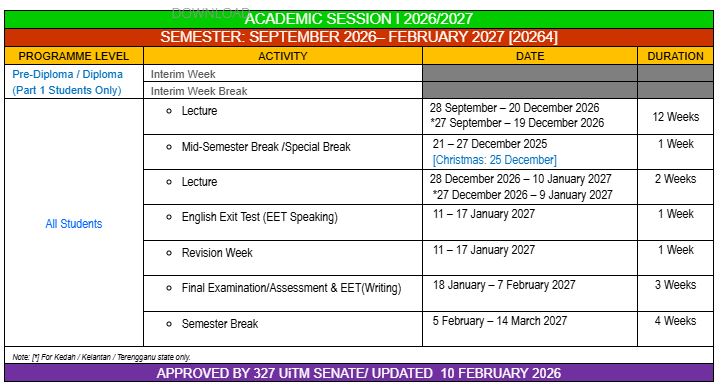
| WEEK 7 (09/11/26-13/11/26) Chapter 4 – Developing Application I 4.1 Layouts (Linear Layout, Relative Layout) 4.2 UI Widgets (TextView, EditText, Button, ImageView, 4.1 4.3 RadioButton, CheckBox, Spinner, ScrollView) 4.4 Event Handling and Event Listener 4.5 Fragment and Intent 4.6 Toast (Simple Toast) 4.7 Containers (WebView) | Project briefing (Create groups) Submit lab assignment – 30% (5/12/2021) Start group project – 30% Lecture 6: Mobile Database Lab 7: Android database(SQLite) |
| WEEK 8 (16/11/26-20/11/26) Chapter 4 – Developing Application I 4.1 Layouts (Linear Layout, Relative Layout) 4.2 UI Widgets (TextView, EditText, Button, ImageView, 4.1 4.3 RadioButton, CheckBox, Spinner, ScrollView) 4.4 Event Handling and Event Listener 4.5 Fragment and Intent 4.6 Toast (Simple Toast) 4.7 Containers (WebView) Test 1 – (20%) | Lecture 7: Implementing CRUD Lab 8: SQLite CRUD |
| WEEK 9 (23/11/26-27/11/26) Chapter 5 – Developing Application II 5.1 Menu (Option Menu) 5.2 Navigation (Up Button/Back Button) 5.3 Data Storage (SharedPreference) 5.4 Date and Time (DatePicker, TimePicker) 5.5 Notification (Simple Notification) Chapter 7 – Implementing CRUD 7.1 Login and Logout and registration 7.2 Add, Retrieve, Update & Delete Operations 7.3 Reporting 7.4 Searching | Project proposal submission (17/12/2021) Lecture 8: Testing and Publishing Apps Lab 10: Testing and publishing |
| WEEK 10 (30/12/26-04/1/26) Chapter 5 – Developing Application II 5.1 Menu (Option Menu) 5.2 Navigation (Up Button/Back Button) 5.3 Data Storage (SharedPreference) 5.4 Date and Time (DatePicker, TimePicker) 5.5 Notification (Simple Notification) | Start Student Feedback Online (SuFO) Lecture 9: Revision activities Lab 10: |
| WEEK 11 (07/12/26-11/12/26) Chapter 6 – Mobile Database 6.1 Introduction to SQLite Database 6.2 Database design 6.3 Database connection 6.4 Database access using SQL Group project preparation | Lecture 11: Revision activities Lab 11: Project preparation |
| WEEK 12 (14/12/26-18/12/26) Chapter 6 – Mobile Database 6.1 Introduction to SQLite Database 6.2 Database design 6.3 Database connection 6.4 Database access using SQL Group project preparation | Lecture 12: Revision activities Lab 12: Project preparation |
| (21/12/26 – 27/12/26) | Mid semester break |
| WEEK 13 (28/12/26-01/01/27) Chapter 7 – Implementing CRUD 8.1 Login and logout 8.2 Registration 8.3 Create, read, update, delete Group project preparation | Lecture 12: Revision activities Start Exit Survey (17-30 January 2021) Start Exit Student Feedback Online (SuFO (20/12/2021 – 6/2/2022) Lab 13: Project preparation |
| WEEK 14 (04/01/27-08/01/27) Chapter 7 – Implementing CRUD 8.1 Login and logout 8.2 Registration 8.3 Create, read, update, delete Testing and Publishing Apps – Mobile application and delivery – Testing mobile application – Application distribution Test 2 – (20%) | Lecture 14: Revision activities Test 2 – (2/1/2027) (40%) End Exit Survey End Exit Student Feedback Online (SuFO) Project preparation Lab 14: Project preparation |
| (09/01/27 – 17/1/2027) Group project presentation | Submit group project – 30% (31/1/2021) Group project presentation (3-4/2/2022) Study week |
SESI OKTOBER-MAC 2021
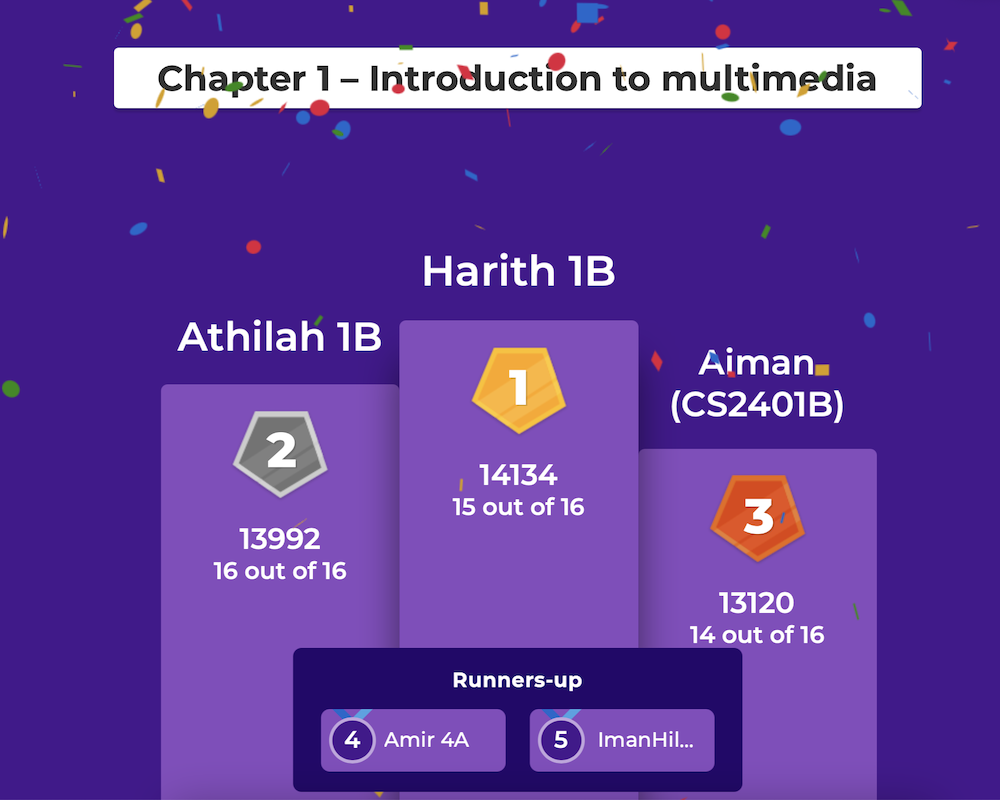
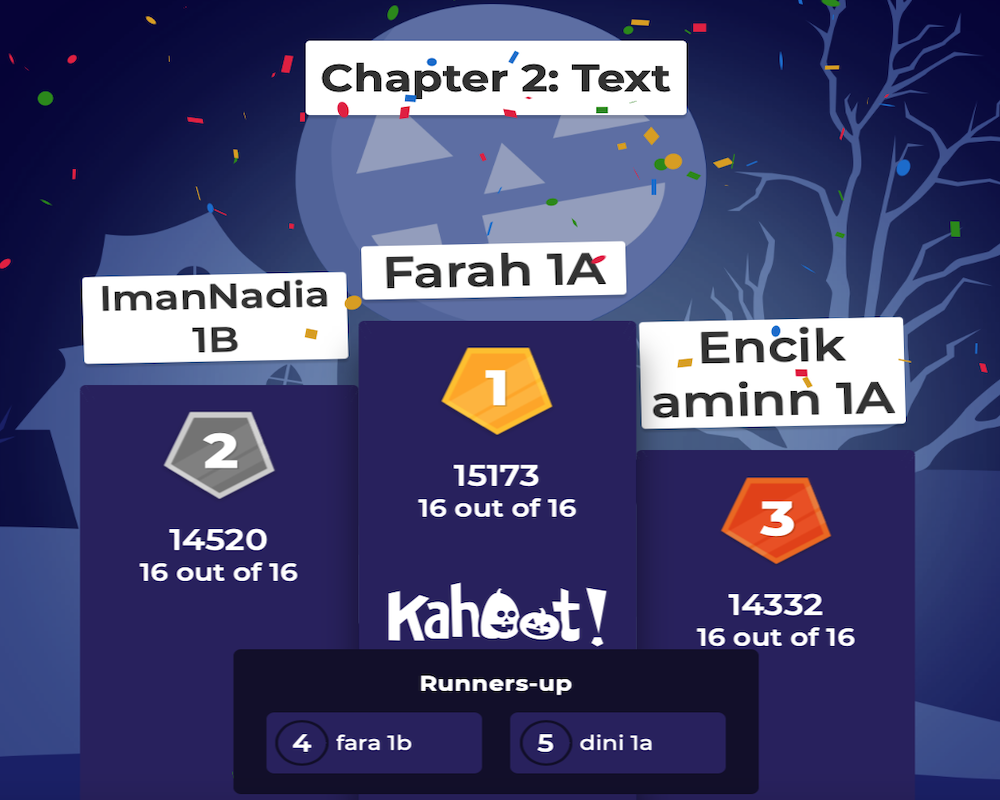
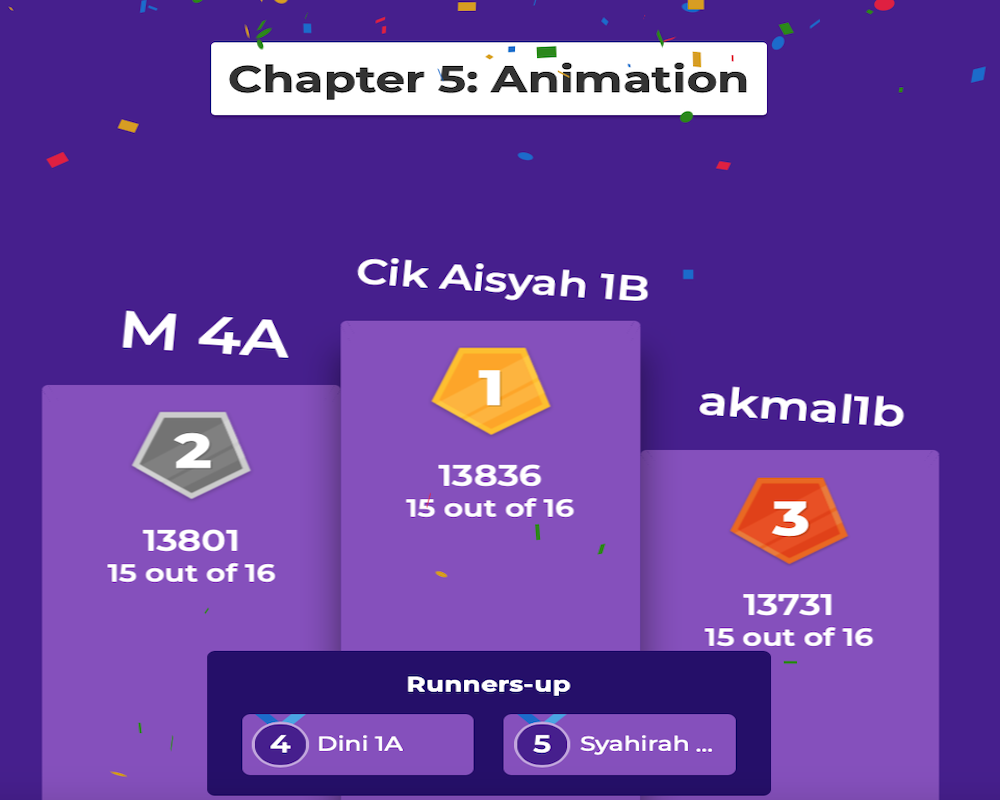
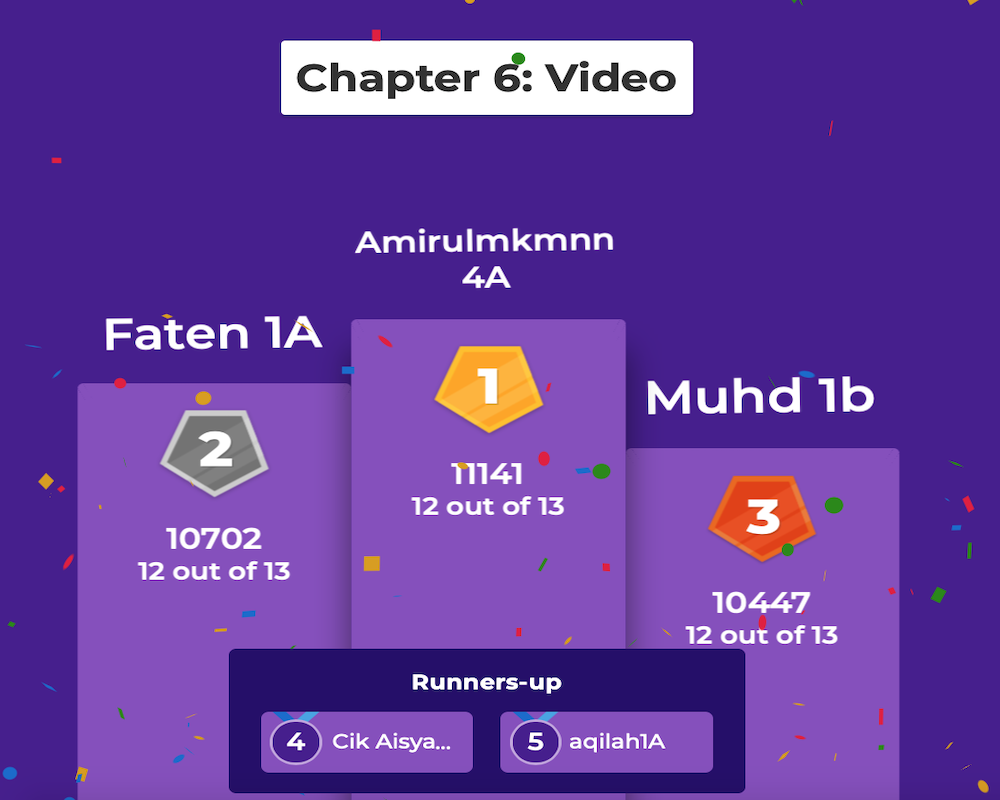
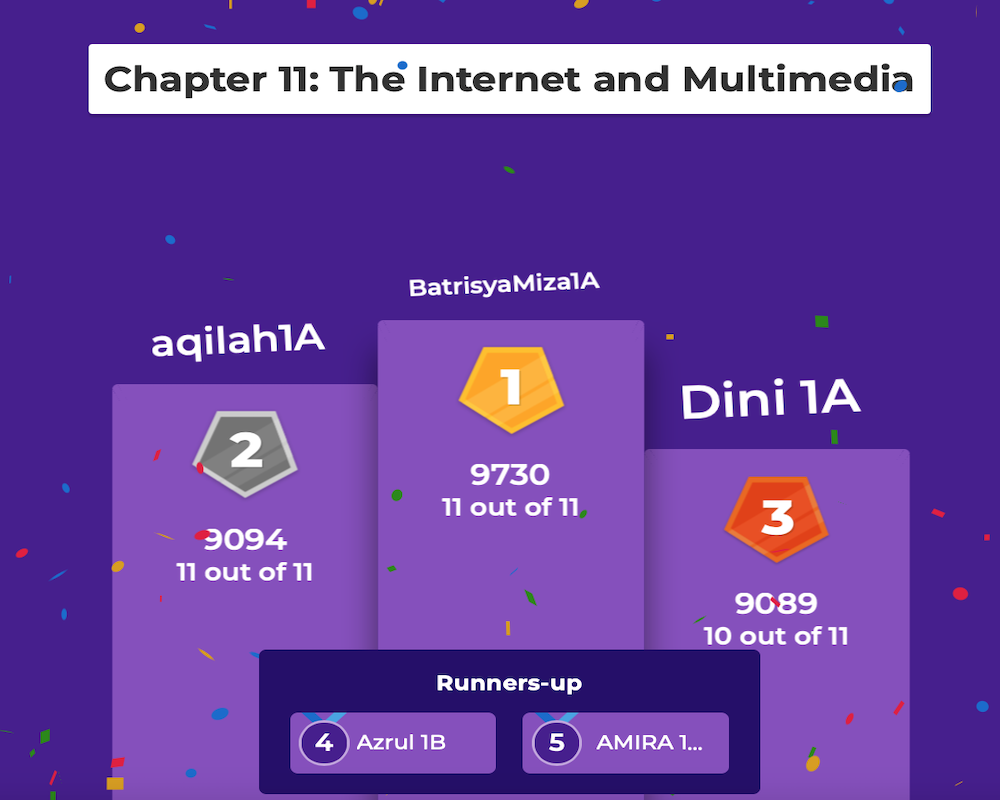
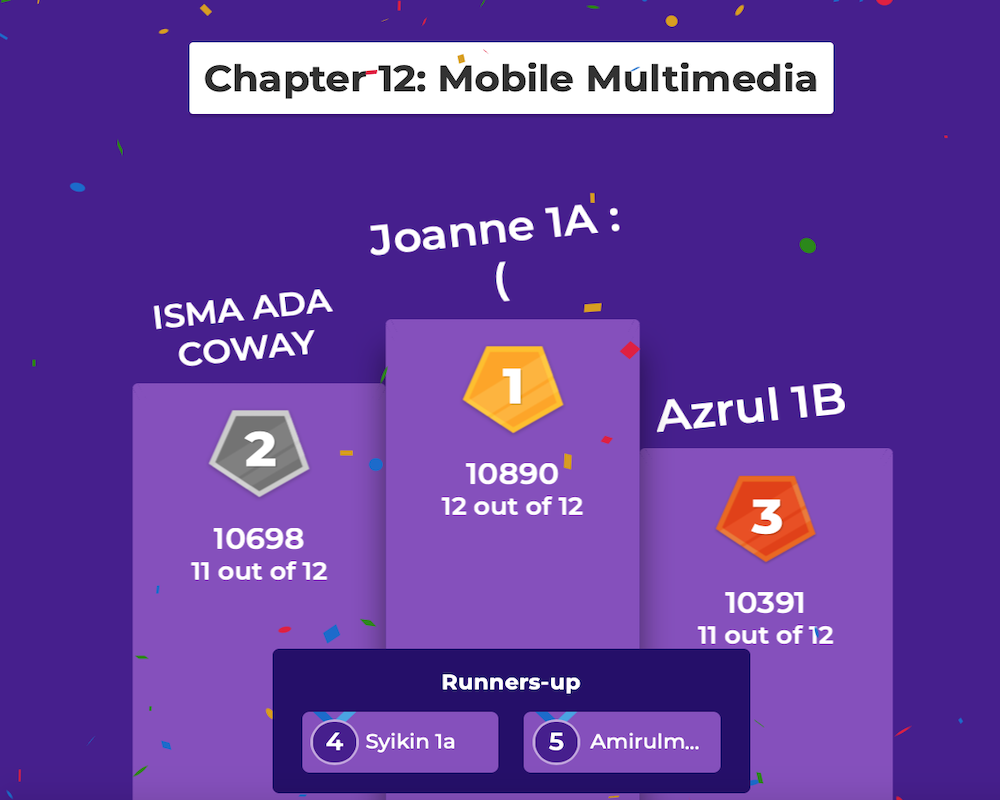
KAHOOT CHAMPION (Introduction to Interactive Multimedia)
Assessment (Introduction to Interactive Multimedia)
Assessments
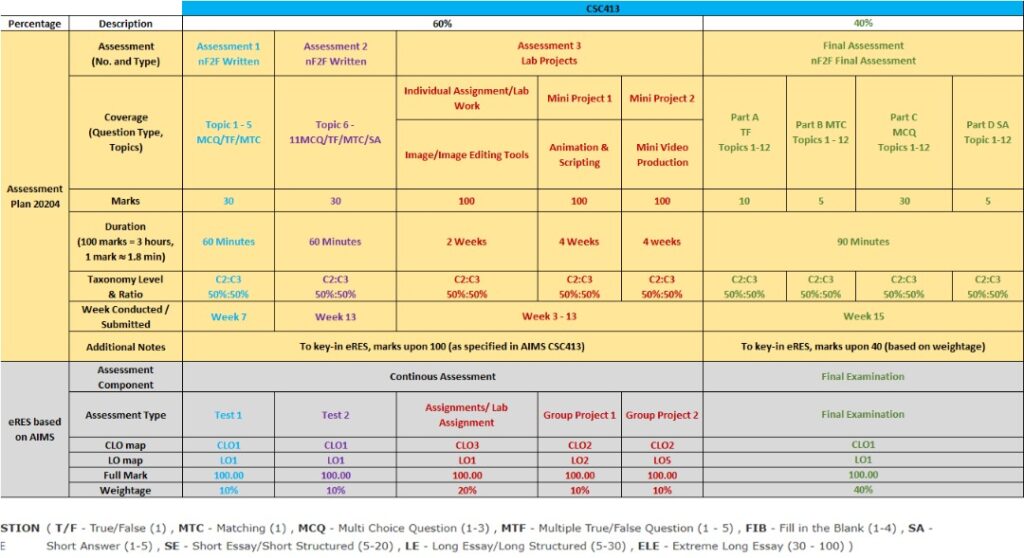
Lab assignment – 20%
Group project – 20%
Test 1 – 10%
Test 2 – 10%
Final assessment – 40%
Total : 100%
Passing grade:C (50%)
Test 1 – (10%)-(8/12/2021)
Topic 1 – 6
Objective and subjective
Test 2 – (10%)-(26/1/2022)
Topic 7 – 12
Objective
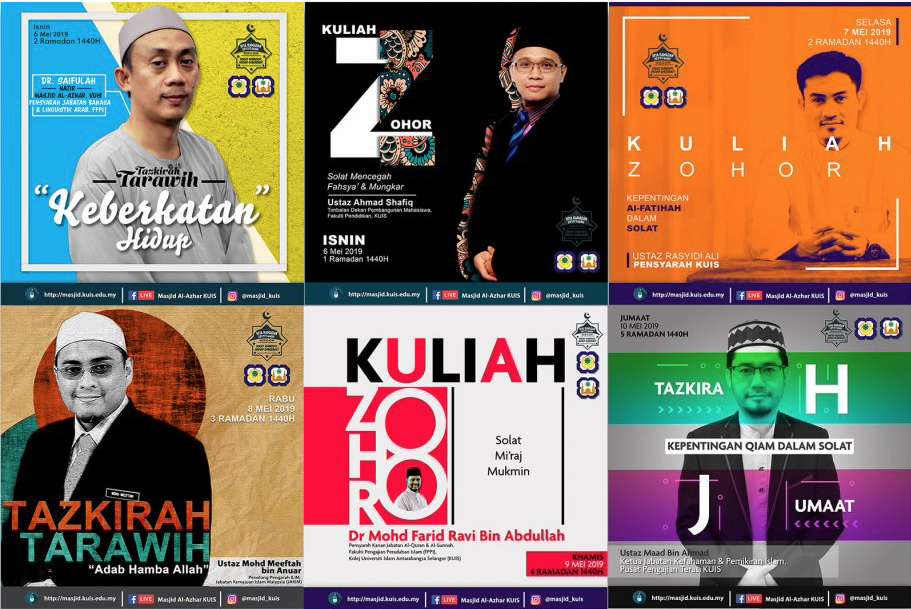
TITLE: POSTER
Individual lab assignment – (20%) (before 3/12/2021)
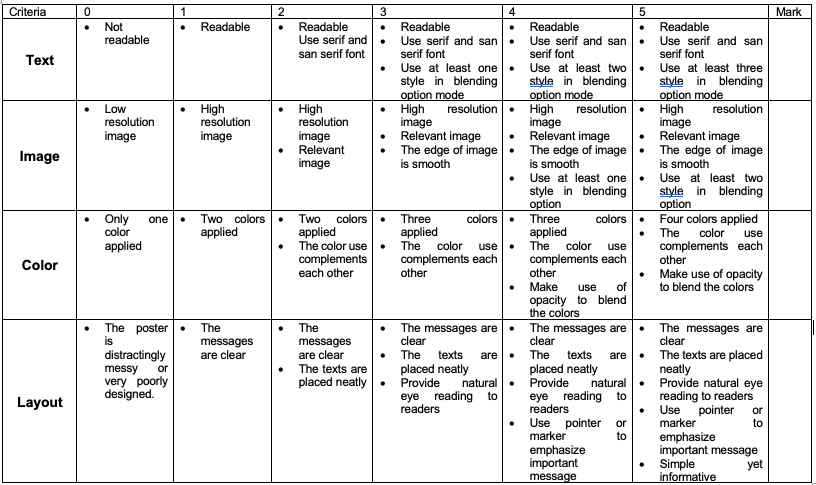
Poster is one of the best ways to advertise and deliver your message to the end user. Your goal is to create a promotional poster for upcoming event of your organization. You need to plan on how you want to organize the information so that it is easy to the people to capture the message.
Detail for poster as per following:
- Size : A4
- Resolution : 300 dpi
- Language : Malay / English
ORIGINALITY: Since we’ve been doing some tutorials and you’ve been honing your skills; I do want to see clear evidence that you are learning to create your own effects rather than relying on simply copying and pasting. 90% or more of the cover design has to be of your own ORIGINAL creation. At this point all of your layers must skillfully blend seamlessly together.
All pictures must be of high quality, high resolution images. You will save your work as a .jpg file and .psd. Include all of the following text elements into your cover:
* Event title
* Organization logo
* Sponsor logo (if any)
* Event details: Time, date, venue, contact person etc. (Use your date of birth for date, and venue is a place in your hometown
* Picture of the main speaker(s) / guest(s) (Use your own picture)
* Images and graphics related to cover
* Other related information
Submission
Upload the project file (.psd) and exported poster in .jpg file format in the assignment (UFuture). Assignment will be created later.
Submission
Marking Rubric
Group project – (20%) (25/1/2021)
GROUP PROJECT (4 persons)
TITLE: CREATIVE VIDEO
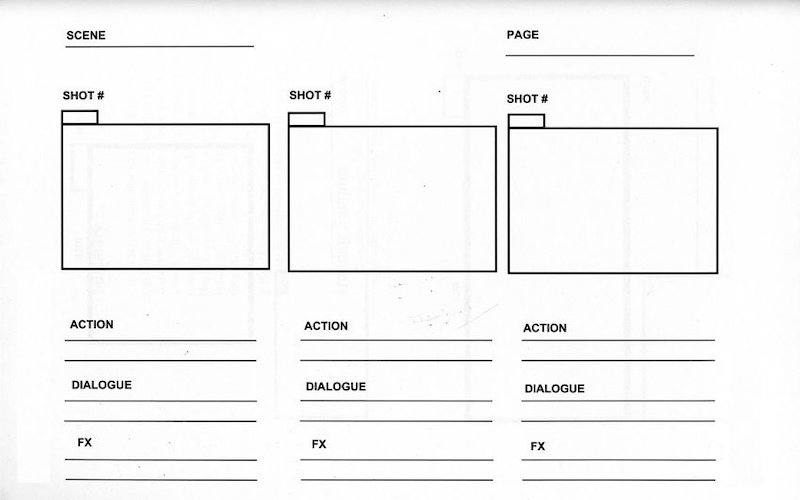
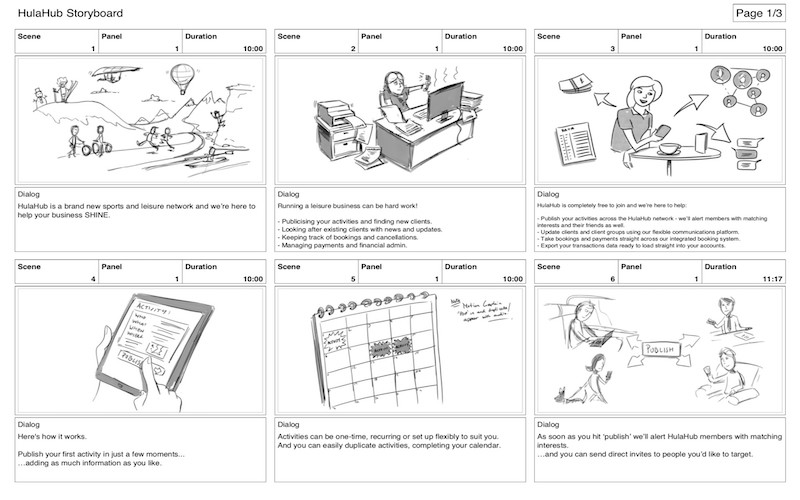
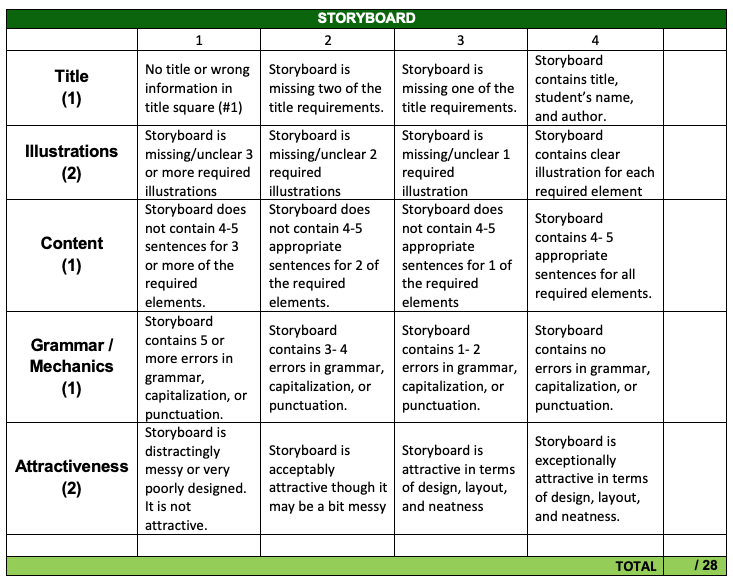
- Project Storyboard (5%)-(24/12/2021)
Students are required to prepare a project storyboard. The storyboard must use computer generated (Microsoft PowerPoint / any presentation tool ) format.
*please include important information (group members’ name, matrix no., group name, group (class) on your project storyboard cover.
Marking Rubric:
VIDEO PROJECT GUIDELINES
Duration : 5 to 7 minutes
Delivery medium : YouTube Channel
Language : English/Malay
Subtitle : English/Malay
Features : Green screen, transition, music background, sound effect, spoken speech
You can choose any theme listed for your video.
- Healthcare
- Nature
- Family / friends
- Corporate
- Drama
- Education
Marking Rubric:
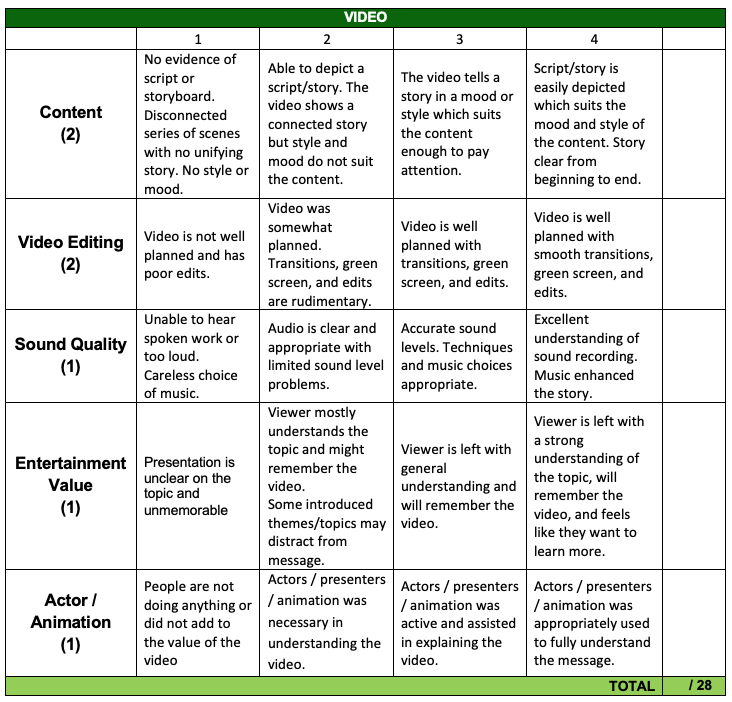
Final Examination – (40%) (10/2/2021) Thursday
Time: 9 – 12 PM
All chapters included.
Course syllabus & Schema of work (Introduction to Interactive Multimedia)
This course will introduce the essential topics in multimedia application development. It includes concepts in hypermedia, basic process and techniques in multimedia application development such as effective combination of audio, video, animation and graphics. Beside that, the implications of data storage and retrieval methods and also the role of teamwork in multimedia application development will also be highlighted. It will also discuss on multimedia computer hardware, current multimedia software packages, multimedia application concepts, data manipulation, file formats, media storage and memory management and configurations. Applications of multimedia for mobile and the Internet will also be emphasized.
At the end of the course, students should be able to:
- Describe the basic elements of interactive multimedia
- Demonstrate teamwork skills in multimedia application project
- Constructs multimedia project with authoring tools
Course Syllabus
| Topic | Remarks |
|---|---|
| WEEK 1 (11/10 – 15/10) Course introduction | Start Entrance Survey (11-24 October) |
| WEEK 2 (18/10 – 22/10) Chapter 1 – Introduction 1.1 Basic definition 1.2 Media of Delivery 1.3 Common Usage of Multimedia 1.4 Understanding Virtual Reality | Lecture note 1: Introduction Lab 1 & 2: Adobe Photoshop/Photopea (Installation) |
| WEEK 3 (25/10 – 29/10) Chapter 2 – Text 2.1 Importance of Text 2.2 Attribute of Text 2.3 Usage of Text in Multimedia 2.4 Usage of Text in Computer 2.5 Font Editing and Design Tools | Lecture note 2: Text Lab 3 & 4: Adobe Photoshop/Photopea |
| WEEK 4 (1/11 – 5/11) Chapter 3 – Graphic & image 3.1 Beginning to Create Images 3.2 Creating Still Images 3.3 Understanding Colors 3.4 File Formats | End Entrance Survey Lecture note 3: Graphic Lab 5, 6 & 7: Adobe Photoshop/Photopea |
| WEEK 5 (8/11 – 12/11) Chapter 4 – Sound 4.1 Introduction to Sound 4.2 Multimedia System Sound 4.3 Digital Audio 4.4 MIDI Audio 4.5 Comparing Digital to MIDI Audio 4.6 Creating and Editing Digital Audio Files 4.7 MIDI versus Digital Audio 4.8 File Formats 4.9 Applying Sound to Multimedia Project | Start Individual Assignment- 20% Lecture note 4: Sound Lab 8: Audacity |
| WEEK 6 (15/11 – 19/11) Chapter 5 – Animation 5.1 Introduction to Animation 5.2 Principles of Animation 5.3 Traditional Animation? 5.4 Computer Animation 5.5 File Formats 5.6 Creating Animation | Lecture note 5: Animation Lab 9 & 10: Audacity |
| (22/11 – 26/11) | CUTI KHAS PERAYAAN |
| WEEK 7 (29/11 – 3/12) Chapter 6 – Video 6.1 Introduction to Video 6.2 How Video Works and Displayed 6.3 Playing Back Digital Video Files 6.4 Shooting and Editing Video 6.5 File Formats | Submit Individual Assignment- 20% (3/12/2021) Lecture note 6: Video Lab 11: Adobe Premier/Filmora |
| WEEK 8 (6/12 – 10/12) Chapter 7 – Multimedia development 7.1 Stages of Multimedia Project 7.2 Project Requirements 7.3 Team and Skillsets | Test 1 (Topic 1 – 6) – 10% (8/12/2021) Start Group Project- 20% Lecture note 7: Multimedia development Lab 12: Adobe Premier/Filmora |
| WEEK 9 (13/12 – 17/12) Chapter 8 – Hardware for development 8.1 Popular Platforms 8.2 Various Type of Connections 8.3 Memory and Various Storage Devices 8.4 Various Input and Output Devices | Lecture note 8: Hardware for development Lab 13: Adobe Premier/Filmora |
| WEEK 10 (20/12 – 24/12) Chapter 9 – Software for development 9.1 Text Editing and Word Processing 9.2 OCR Software 9.3 Painting and Drawing Tools 9.4 3-D Modeling and Animation Tools 9.5 Image-Editing Tools 9.6 Sound Editing Tools | Submit project storyboard- 5% (24/12/2021) Start Student Feedback Online (SuFO) Lecture note 9: Software for development Lab 14: Adobe Animate/Flash |
| (27/12 – 31/12) | CUTI KHAS PERAYAAN |
| WEEK 11 (3/1 – 7/1) Chapter 10 – Authoring multimedia elements 10.1 Introduction to Authoring Systems 10.2 Types of Authoring Tools 10.3 Choosing Authoring Tools 10.4 Testing 10.5 Preparing for Delivery | Lecture note 10: Authoring multimedia elements Lab 15: Adobe Animate/Flash |
| WEEK 12 (10/1 – 14/1) Chapter 11 – The internet and multimedia 11.1 History of Internet 11.2 Internetworking 11.3 Making Multimedia for the Web | Lecture note 11: The internet and multimedia Lab 16: Group project preparation |
| WEEK 13 (17/1 – 21/1) Chapter 12 – Mobile multimedia 12.1 Digital Revolution 12.2 Mobile Hardware 12.3 Various Types of Connections 12.4 Mobile Platform 12.5 Programming Mobile Applications | Submit Group Project- 20% (25/1/2022) Start Exit Survey (17-30 January 2021) Start Exit Student Feedback Online (SuFO (20/12/2021 – 6/2/2022) Lecture note 12: Mobile multimedia Lab 17: Group project preparation |
| WEEK 14 (24/1 – 28/1) Group project presentation | Test 2 (Topic 7 – 12) – 10% (26/1/2022) Video Project submission (25/1/2022) Exit Survey Exit Student Feedback Online (SuFO) |
| (31/1 – 4/2) | Study week |
| WEEK 15 (7/2 – 11/2) Final assessment- 40% | Final examination (10/2/2022) Example of past year questions |
SESI OKTOBER-MAC 2021
KAHOOT CHAMPION (Introduction to Interactive Multimedia)-20214
CS2401A
CSC2401B/CS2644A/CS2644B
Chapter 1 – Introduction to multimedia
Chapter 2 – Text
Chapter 3 – Graphic & image
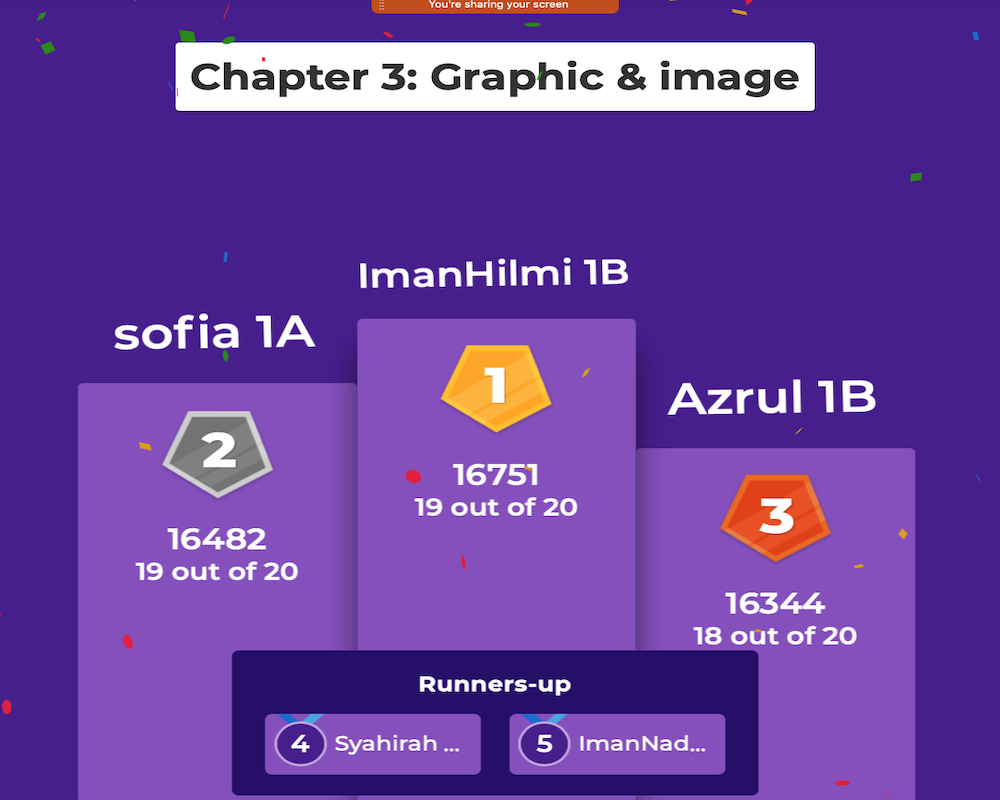
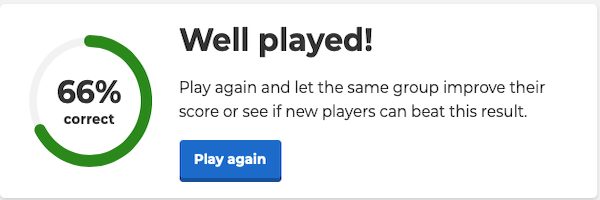
Chapter 4 – Sound
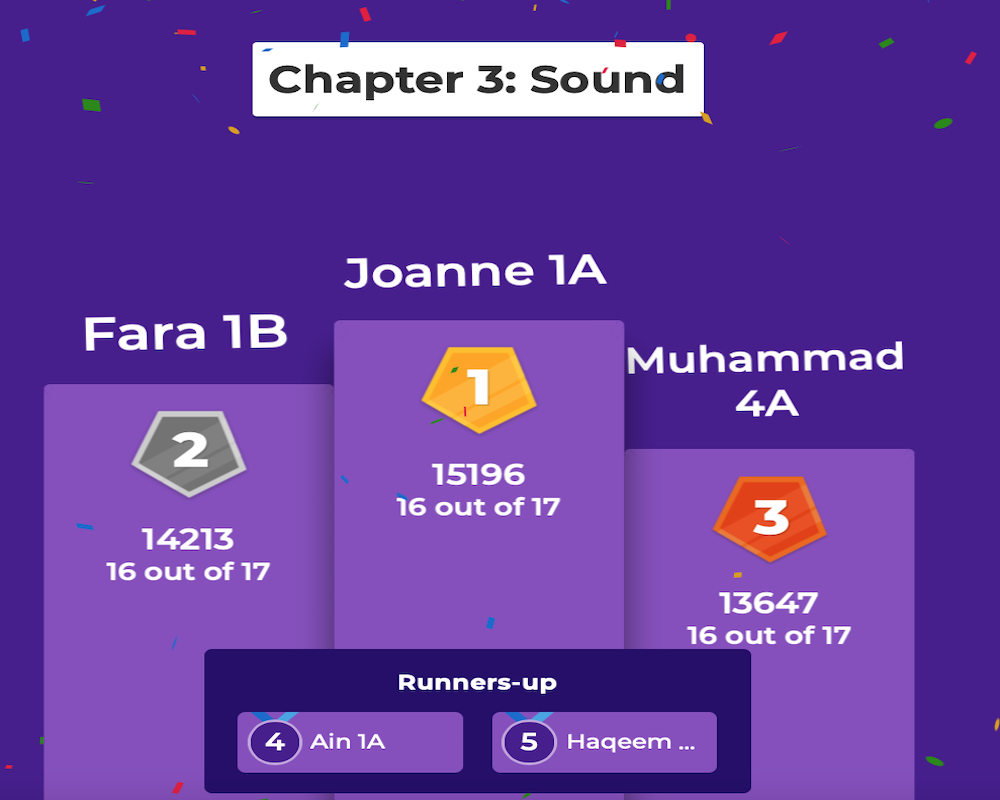
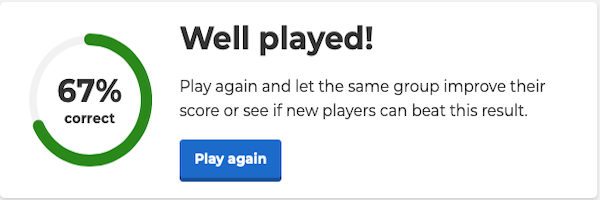
Chapter 5 – Animation
Chapter 6 – Video
Chapter 7 – Multimedia development
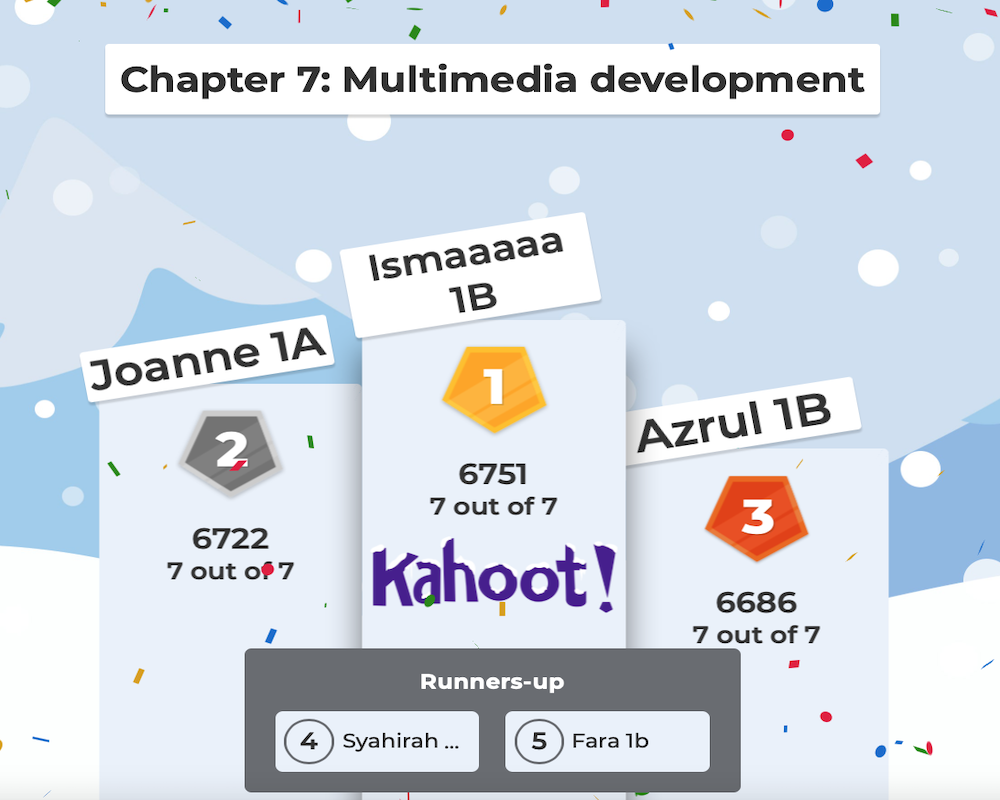
Chapter 8 – Hardware for development
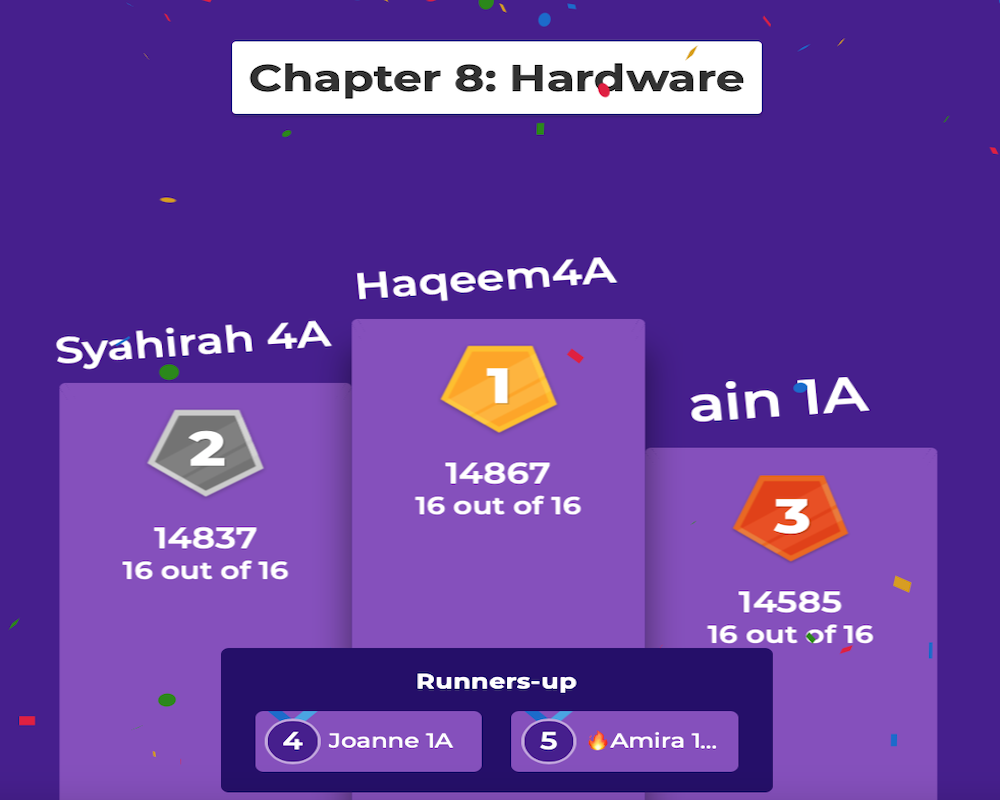
Chapter 9 – Software for development
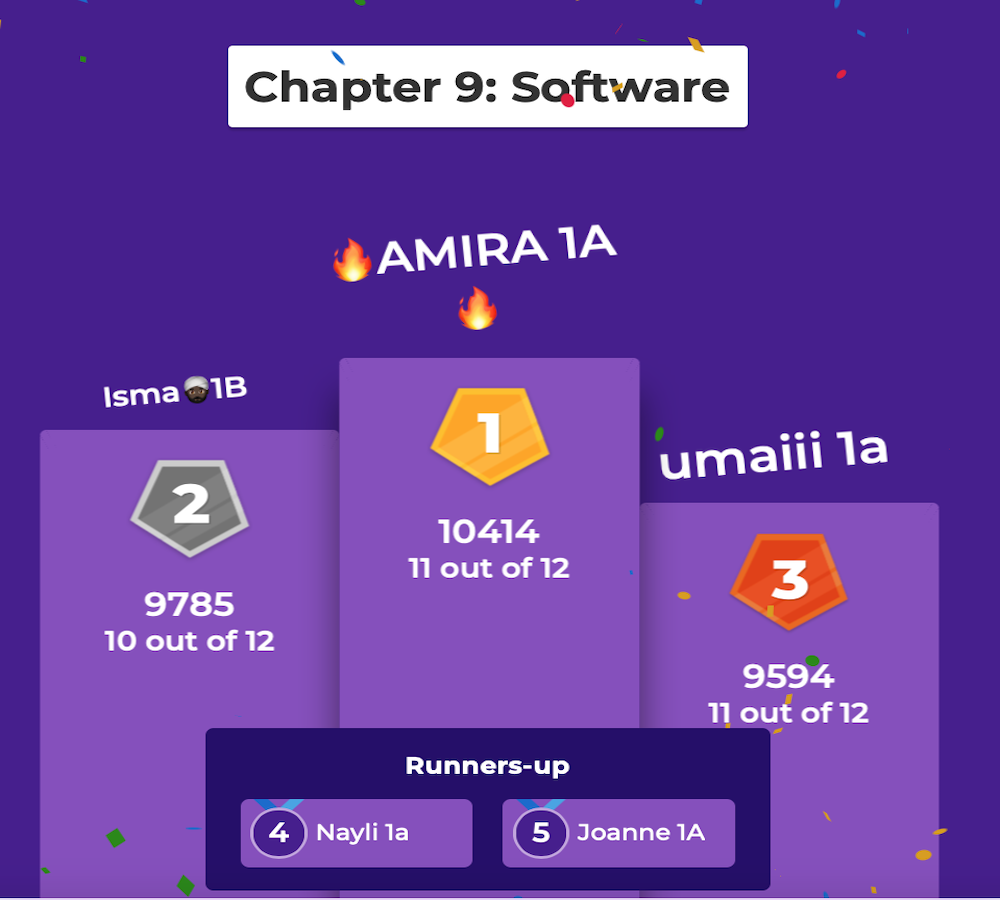
Chapter 10 – Authoring multimedia elements
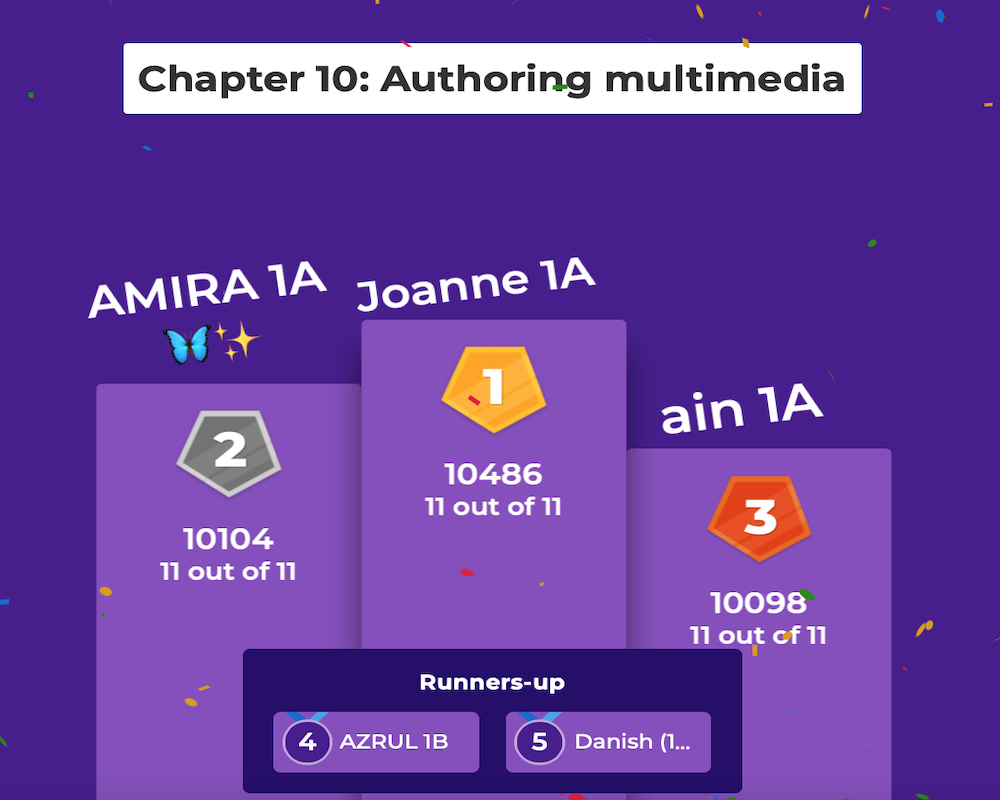
Chapter 11 – The internet and multimedia
Chapter 12 – Mobile multimedia
KAHOOT CHAMPION (Web development)
Assessment (web development)
Assessments
Quizzes (4) : 20%
Assignment (2) : 10%
Lab test : 10%
Test 1 : 10%
Test 2 : 10%
Group Project : 40%
: 100%
Passing grade : C ( 50 % )
Group project requirement
Group project
Requirement
Students need to develop a web application. The web application should have the following content and features:
a. Registration
b. Create / Read/ Update / Delete (Database – minimum 4 tables)
c. Login / Logout
d. Search data
e. Report analysis (Example: number of users logged on to the web application.)
Course syllabus & Schema of work (web development)
The course is designed to introduce students to intermediate level Java programming language and produce students who are able to solve extensive computer-based and enterprise web-based problems. It emphasizes various aspects of problem solving and develop applications using enterprise component technologies.
At the end of the course, students should be able to:
- Apply object-oriented concepts in architecture of Java EE technology
- Propose problem solving in architecture of Java EE technology
- Display practical skills in enterprise application based on Java EE architecture and technology
Course Syllabus
| Topic | Remarks |
|---|---|
| WEEK 1 (29/3 – 2/4) Chapter 1 – Web application basics • Web application basics • Web protocols • HTML • Javascript • Dynamic client and servers | Start Entrance Survey Lecture note 1: Web application basics Lab: HTML |
| WEEK 2 (5/4 – 9/4) Chapter 2 – Apache, PHP & MySQL • Apache, PHP and MySQL • PHP scripts and parser • MySQL Server • Installation | Exit Entrance Survey Lecture note 1.1: Apache, PHP & MySQL Lab 1: Download Apache, PHP & MySQL HTML form |
| WEEK 3 (12/4 – 16/4) Chapter 3 – PHP scripting-1 • PHP scripting • Basic scripting • Decision structure • Iteration control structure • User define function | Project briefing (Create groups) Lecture note 2: PHP scripting-1 Lab 2: Array |
| WEEK 4 (19/4 – 23/4) Chapter 4 – Server Side Scripting 2 a) HTML • Testing and configuration • Redirecting and formatting • Validating, encoding and decoding • String manipulation | Lecture note 3: PHP scripting-2 Lab 3: CSS & HTML |
| WEEK 5 (26/4 – 30/4) Chapter 5 – Server Side Scripting 3 • Array • Multidimensional Array • Function without parameter | Lecture note 3.1: PHP scripting-3 Lab 4: Use external file |
| WEEK 6 (3/5 – 7/5) Chapter 6 – Working with Data in PHP • Basic MySQL • RDBMS • MySQL with PHP • Execute queries | Start proposal Example project proposal Start Lab assignment 1 Lecture note 4: Working with data in PHP Lab 6: Use mysql monitor |
| WEEK 7 (17/5 – 21/5) Chapter 7 – Session and Cookies • HTTP cookies • PHP session Lab: JSP using JSTL Tags | Submit lab assignment 1 (21/5/2021) Lecture note 4: Persistent data using sessions & cookies Lab 7: Create database-1 Create database-2 |
| WEEK 8 (24/5 – 28/5 | TEST 1 (Topic 1 – 5) |
| WEEK 9 (7/6 – 11/6) Chapter 8 – Authenticating users in PHP • Cookies | Start Lab Assignment 2 Start Student Feedback Online (SuFO) Lecture note 6: Authenticating users in PHP Lab 8: Send a cookie |
| WEEK 10 (7/6 – 11/6) Chapter 9 – Object Oriented Programming with PHP • Object vs Class • Class construction | Start Lab Assignment 2 Start Student Feedback Online (SuFO) Lecture note 6: Object oriented programming with PHP Lab 8: Use HTTP authentication |
| WEEK 11 (14/6 – 18/6) Preparation of Group project presentation | Progress presentation Lab 9: Create PHP page |
| WEEK 12 (21/6 – 25/6) Preparation of Group project presentation | Progress presentation |
| WEEK 13 (28/6 – 2/7) | Test 2 (Topic 7 – 10) |
(5/7 – 9/7) | MID-SEMESTER BREAK |
| WEEK 14 (12/7 – 16/7) Group project presentation | Exit Survey Exit Student Feedback Online (SuFO) |